How IntelliTank works

Water information
that travels farther.

IntelliTank brings together your tank, well pump, home Wi-Fi, and phone—so you can know what is happening with your water system from almost anywhere.

Up to ¾ milelow-power, long-distance connection between your Tank Unit and Home Unit.
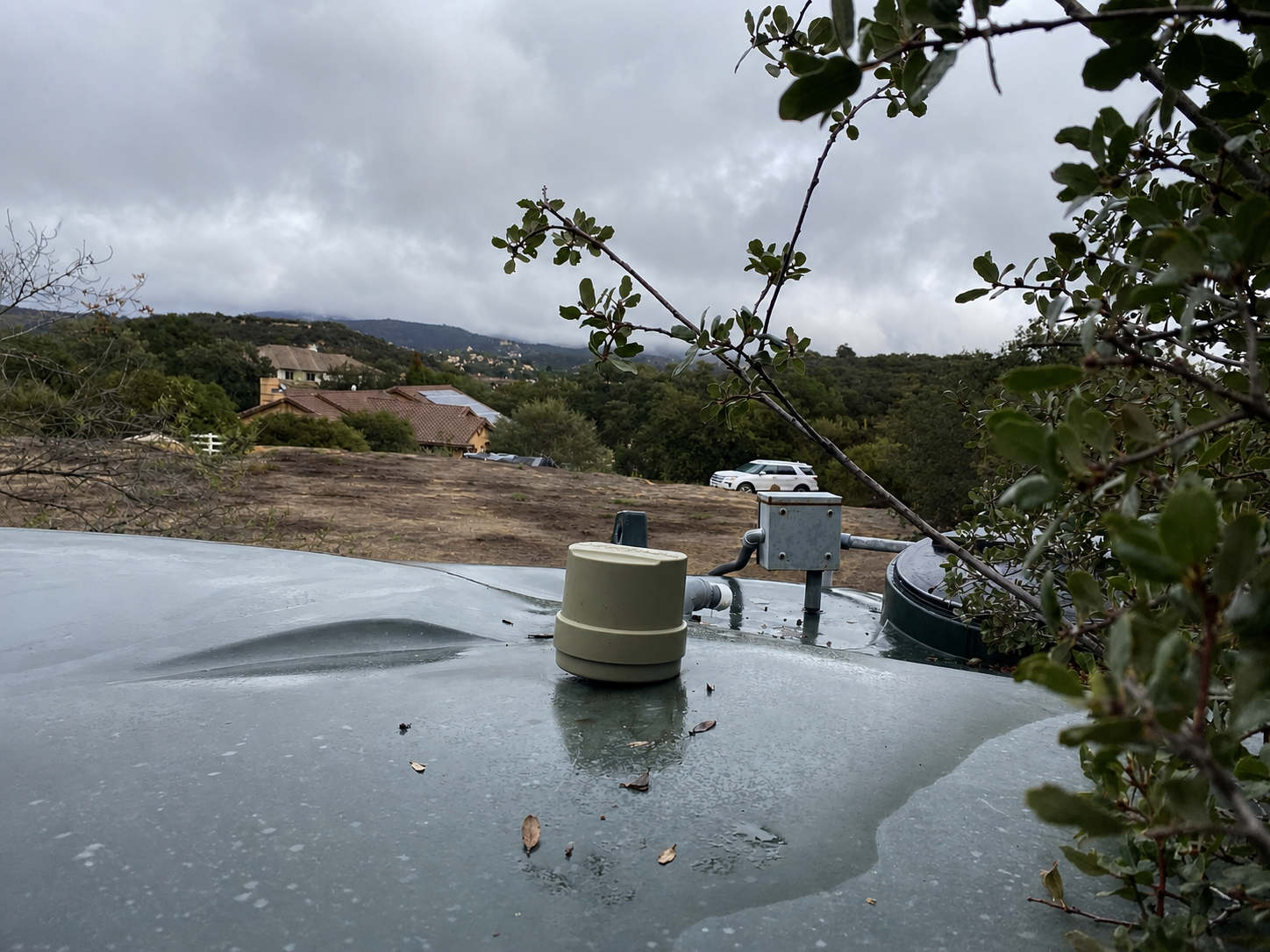
IntelliTank Tank Unit installed on a rain-covered water tank overlooking a home and hillside
A real-world IntelliTank installation

One connected water system

From source to storage to home.

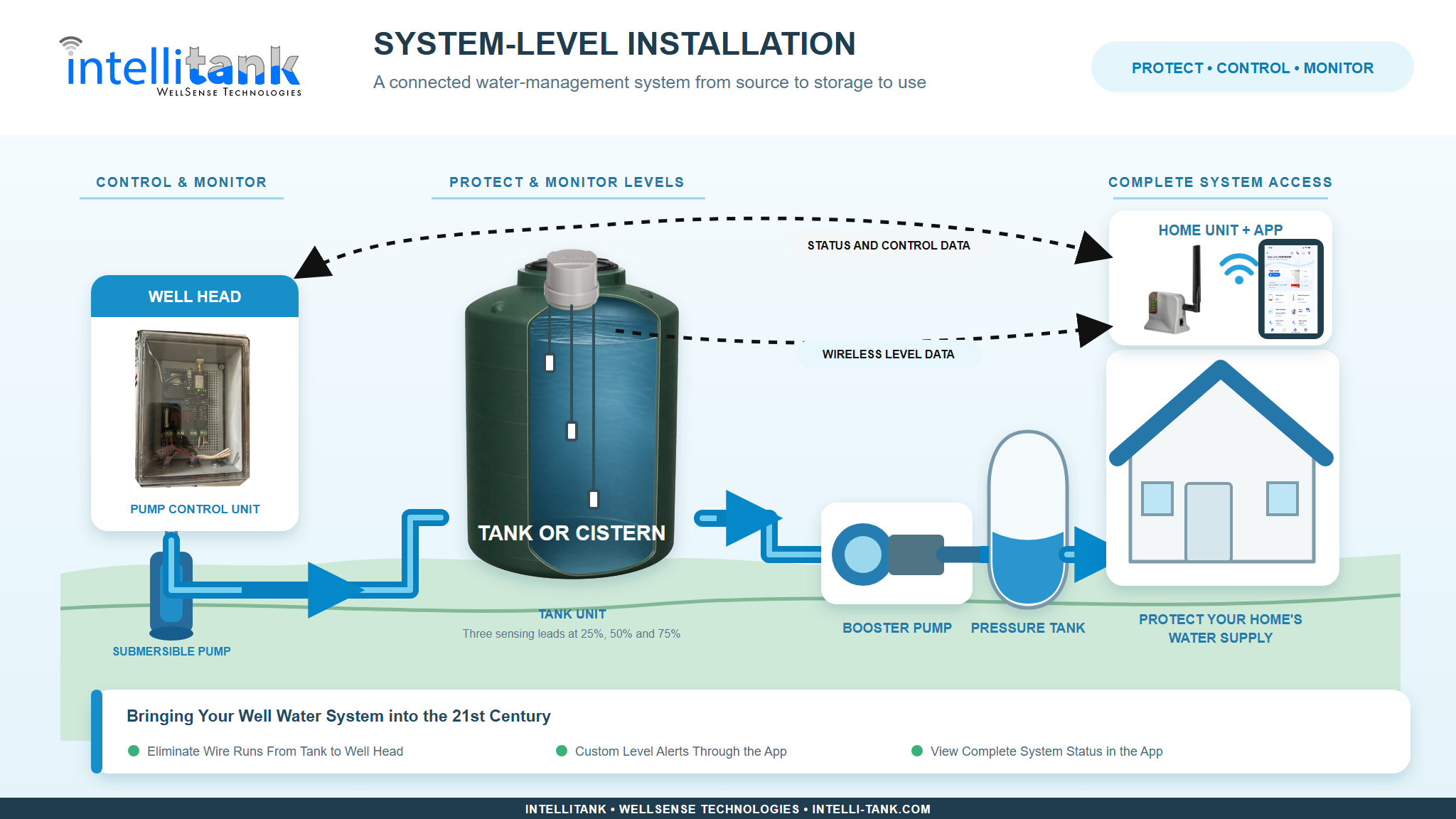
Depending on your product selection, IntelliTank has three or four core components working together to protect your water supply.

IntelliTank system diagram from pump control and well head through tank monitoring to home unit and app
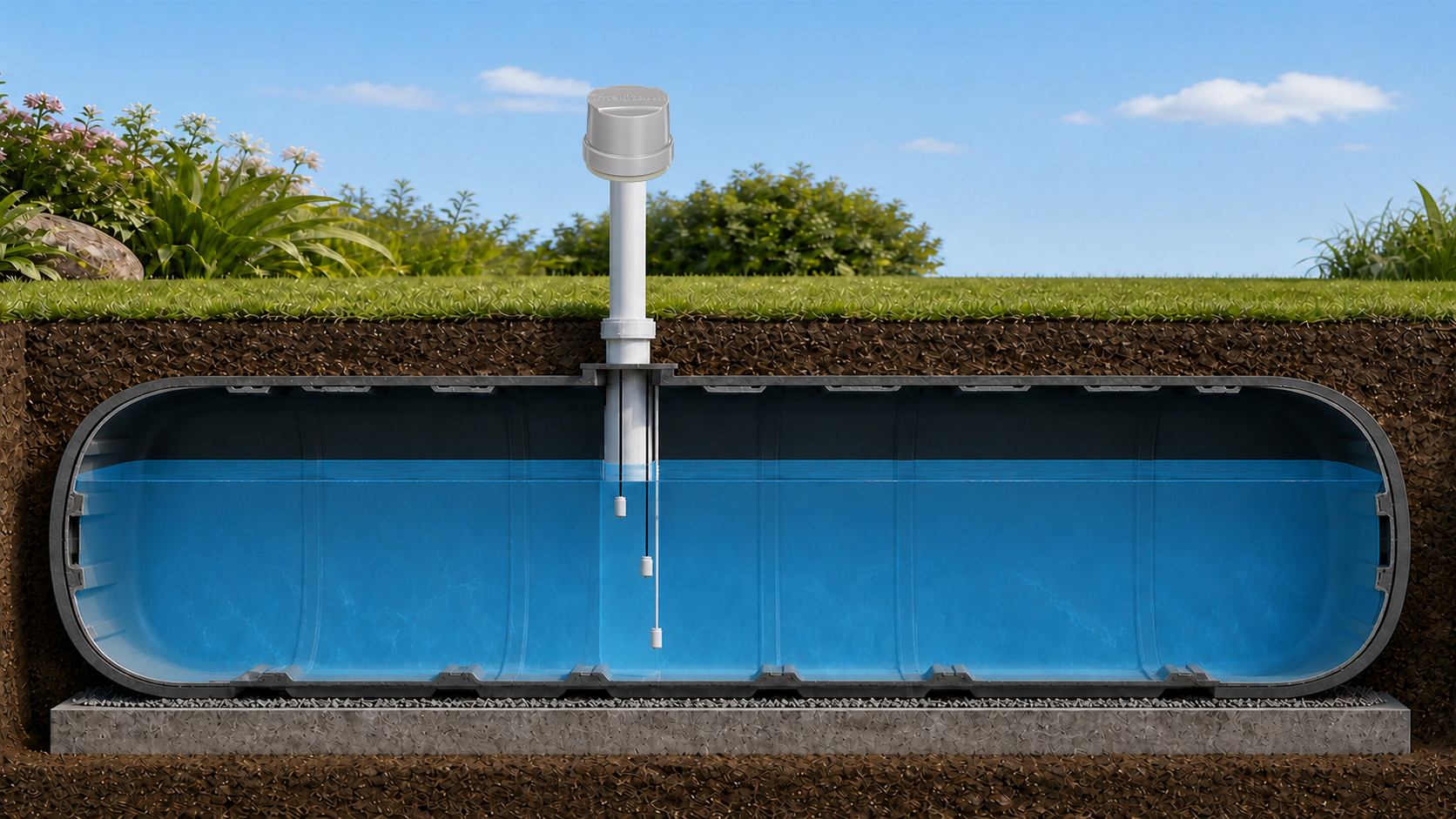
Illustration of an IntelliTank Tank Unit on a vent pipe above an underground cistern with three water-level sensing leads

Cistern applications

See what an underground installation can look like.

IntelliTank can monitor a below-ground cistern by mounting the Tank Unit on a vent pipe. Its sensing leads extend into the tank to report water level directly to the IntelliTank app.

The same connected system helps you keep an eye on stored water, wherever your cistern is located.

The building blocks

Four components. One clear view.

Choose the system that fits your setup, then manage it in one familiar place.

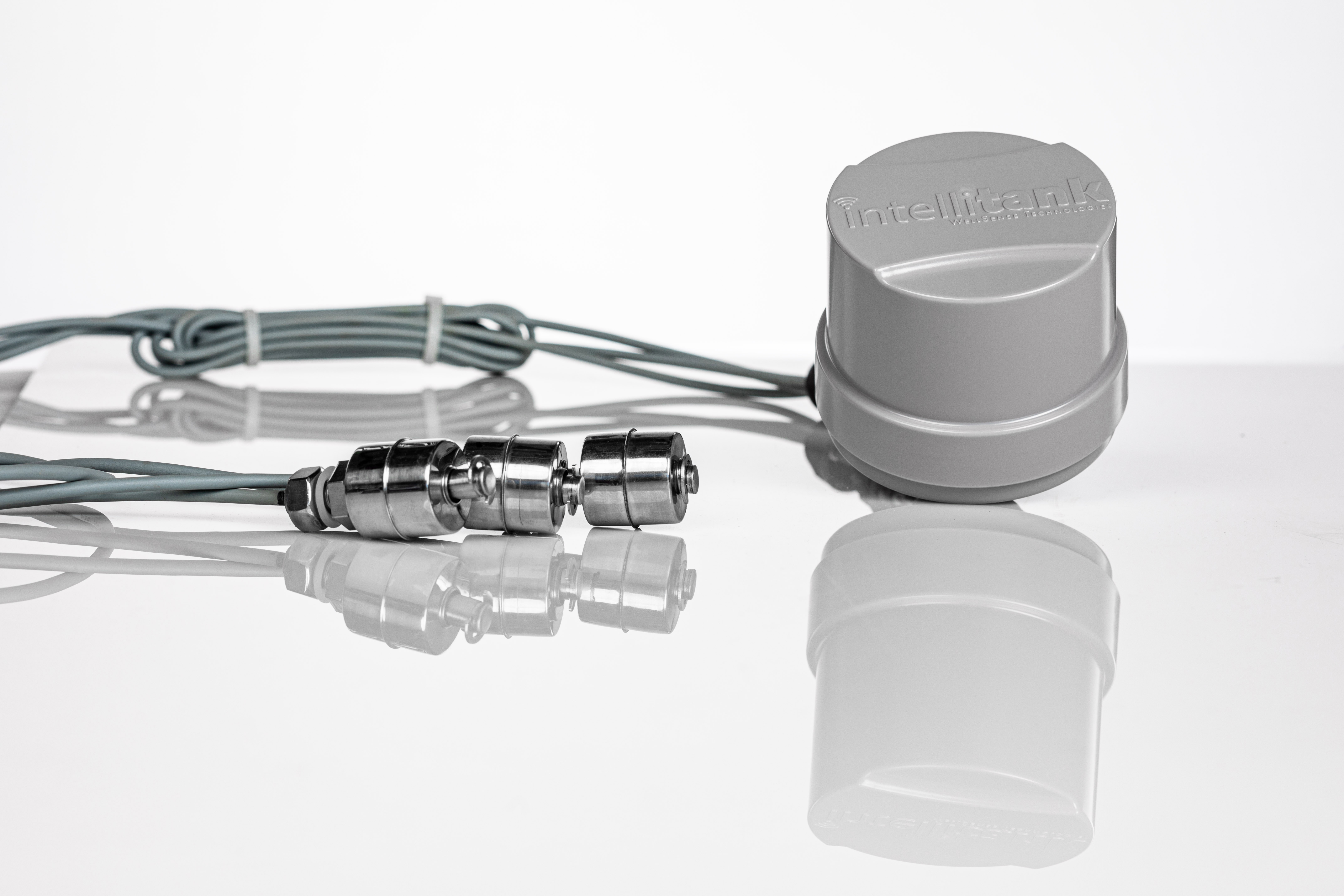
IntelliTank Tank Unit and water level sensors

01

Tank Unit

The Tank Unit monitors the water level inside an above-ground storage tank or underground cistern. Choose a solar or battery-powered unit, then set the sensor leads at roughly 25%, 50%, and 75% of the tank height.

It checks for changes every four minutes and communicates with the Home Unit over a low-power, long-distance signal.
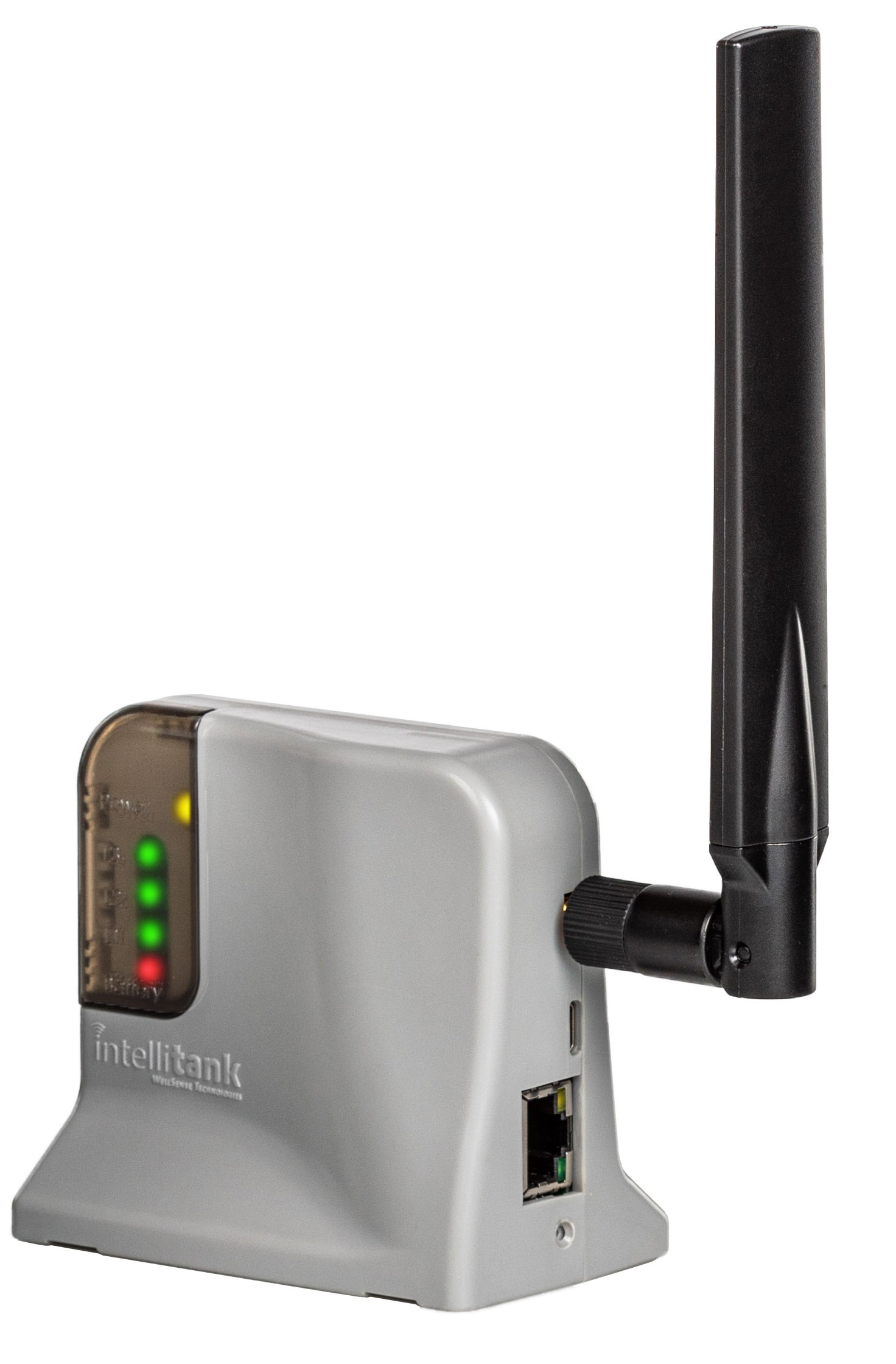
IntelliTank Home Unit with antenna and status lights

02

Home Unit

The Home Unit receives information from your Tank Unit and sends it securely to IntelliTank, so it can appear in the IntelliTank app and website.

During setup, connect it to your 2.4 GHz home Wi-Fi network—then it takes care of the connection in the background.

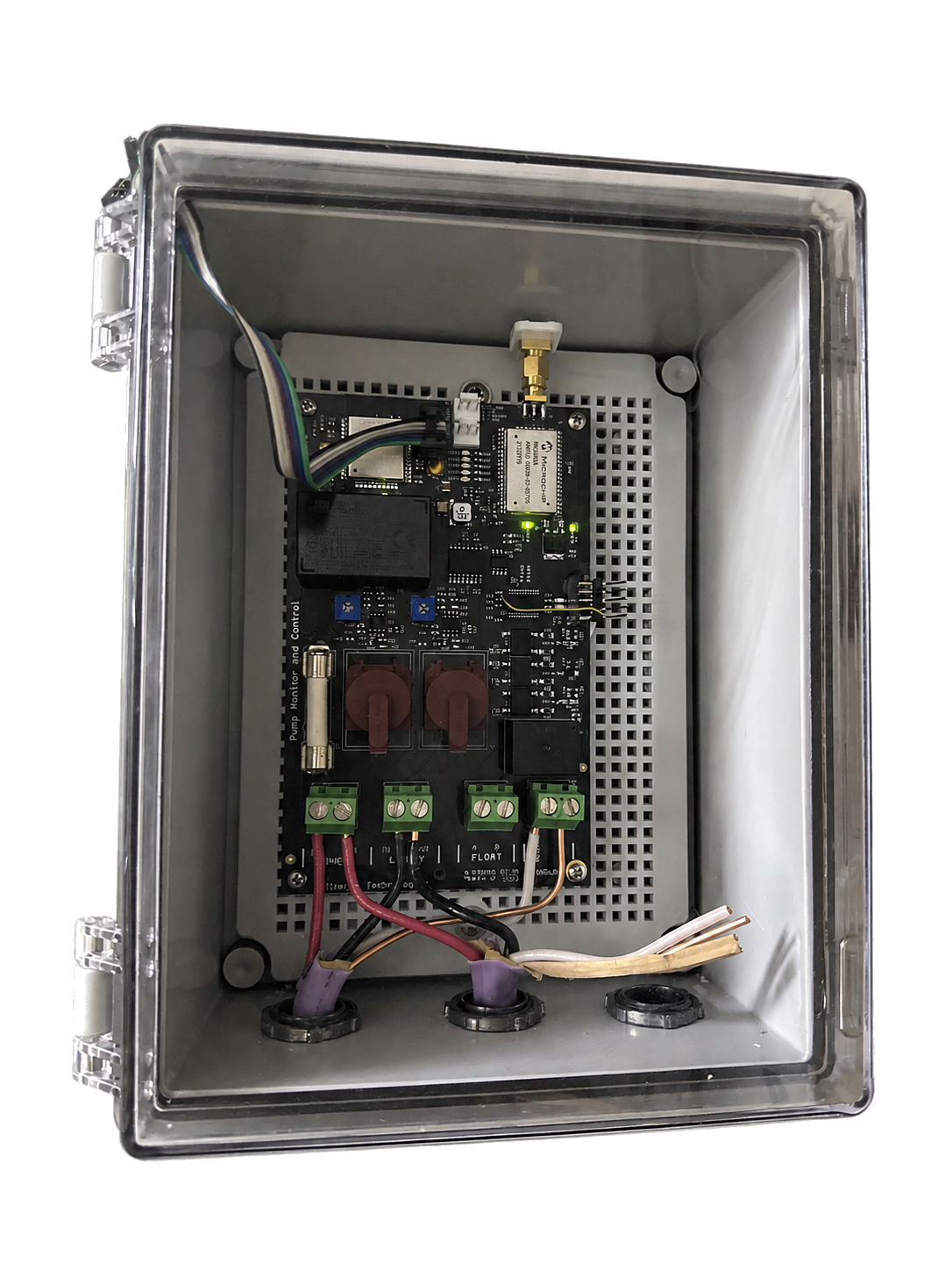
IntelliTank Pump Control Unit

03

Pump Control Unit

The Pump Control Unit lets you control your pump manually in the app or automatically from Tank Unit level indications.

Choose a pump run time in the app to help avoid overfilling your tank or cistern. Select the timing carefully for your particular system.

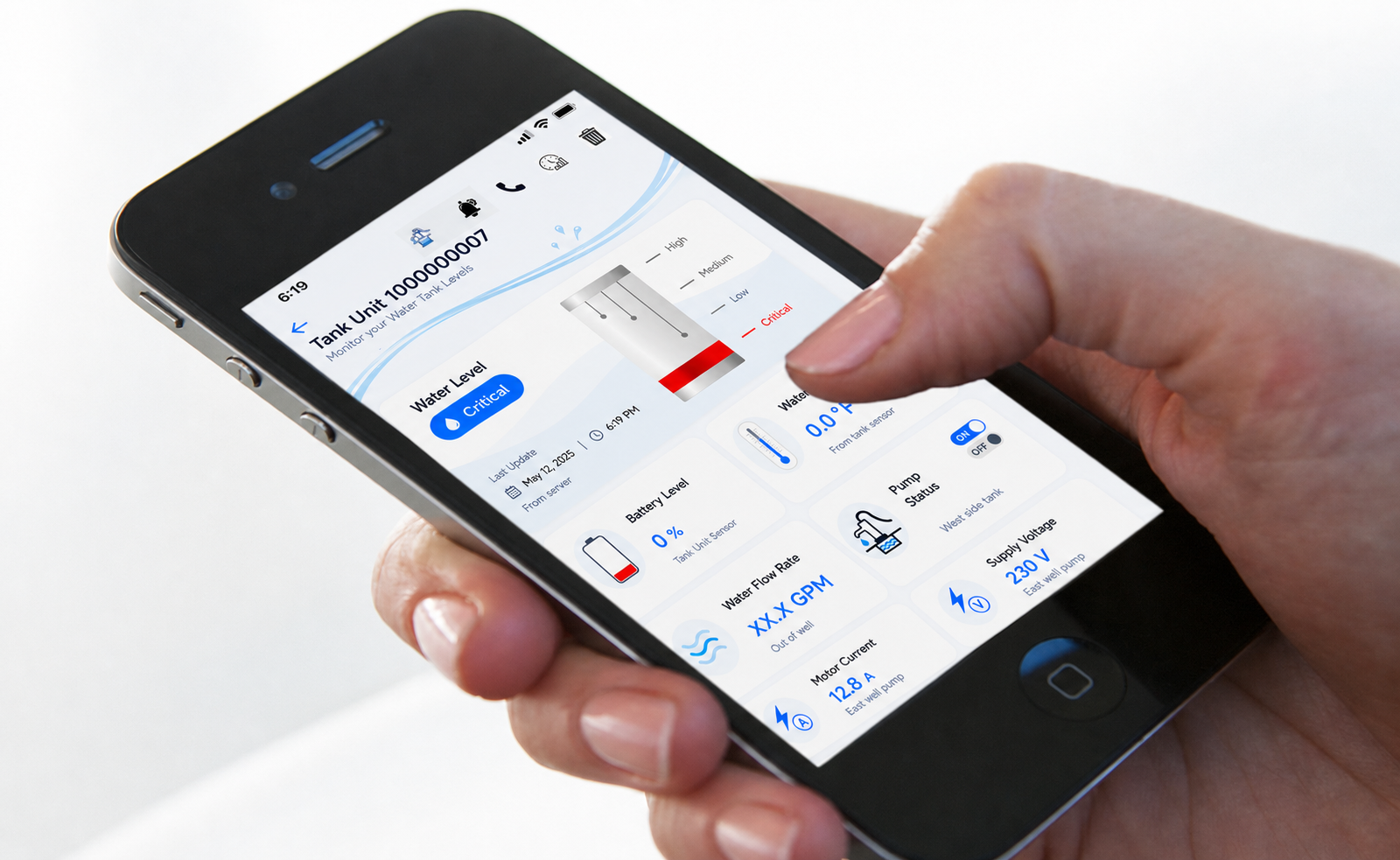
IntelliTank App status screen displayed on a smartphone held in a hand

04

IntelliTank App

Your free IntelliTank App is the center of the system. Receive customized alerts, review water-level history, and see battery levels and water temperature from anywhere.

With Pump Control, you can also see pump activity, gallons per minute, voltage, and current—and turn the pump on or off remotely.

Setup made simple

Connect once.
Stay informed.

After creating your IntelliTank account, most systems are ready in just a few straightforward steps.

Open the installation guide
  1. 1

    Create your account

    Set up your free IntelliTank App account and follow the Installation Guide.

  2. 2

    Connect your Home Unit

    Join the Home Unit to your 2.4 GHz home Wi-Fi network.

  3. 3

    Install the Tank Unit

    Add batteries, confirm the connection, adjust the sensor leads, and install the unit on your tank.

Transmission & updates

Smart checks. Thoughtful power use.

Your Tank Unit is designed to stay connected without using more battery power than it needs.

Every 4 minutes

The Tank Unit wakes to check for a water-level change. If nothing has changed, it goes back to sleep without sending an update.

About every 6 hours

The Tank Unit checks in with its current status so you can confirm the system is still connected and working properly.

Need a hand?

Get IntelliTank working for your home.

Connect with an IntelliTank installer, or visit Support for installation resources.